GE IC698CPE010-JU | RX7i CPU – 1.0 GHz, 10 MB RAM
$ 96.54
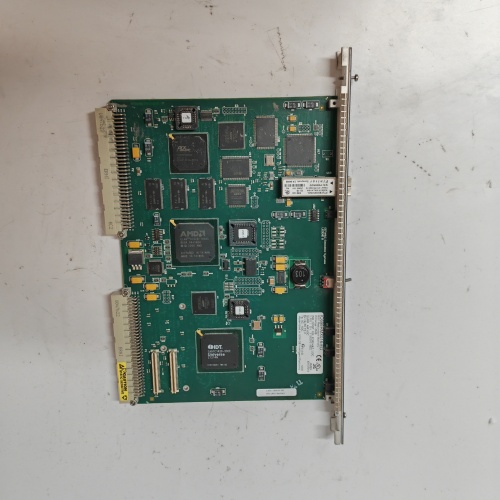
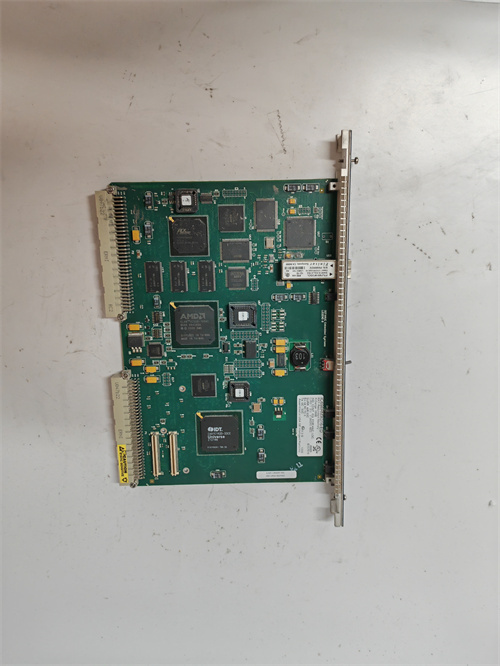
Description Product Introduction The GE IC698CPE010-JU sits at the top of the RX7i CPU lineup. This is the 1.0 GHz version with 10 MB of user memory—enough for massive ladder logic, C blocks, or structured text applications spanning entire production lines. The “JU” suffix indicates a specific configuration: two embedded Ethernet ports, no onboard serial port (you use the Ethernet or add a serial module), and the latest hardware revision with improved ESD protection. What makes the GE IC698CPE010-JU different from its predecessor (the IC698CPE010 base model) is subtle but meaningful. The “JU” revision tweaks the Ethernet controller firmware to handle higher sustained packet rates—up to 2,000 packets per second per port without dropping. In my experience, this matters when you’re pushing data to three HMIs, a SCADA server, and a historian simultaneously. The base model would occasionally choke on that load. The JU revision just handles it. GE IC698CPE010-JU Key Technical Specifications Parameter Specification Model GE IC698CPE010-JU Series PACSystems RX7i Processor 1.0 GHz Intel Celeron M User Memory 10 MB (battery-backed RAM) Non-Volatile Memory 10 MB (flash) I/O Capacity 32,768 discrete / 32,768 analog (max) Ethernet Ports 2 x 10/100 Mbps (embedded) Serial Ports None (requires IC698ETM001 or serial module) PCI Slots Supported Up to 8 PCI or PCI Express modules (in RX7i rack) Scan Time < 0.5 ms per 1K of logic (typical) Operating System VxWorks-based (embedded) Programming Languages Ladder Diagram, Structured Text, C Blocks, Function Block Diagram Operating Temp 0°C to 60°C Battery IC693ACC302 (retains RAM) GE IC698CPE010-JU Firmware / Software Versions & Upgrade Notes The GE IC698CPE010-JU runs firmware from the PACSystems RX7i family. Firmware resides in flash memory and upgrades via Proficy Machine Edition. Minimum firmware: Version 6.5 (required for the “JU” hardware revision). Earlier firmware versions do not recognize the JU board’s Ethernet controller. Recommended firmware: Version 7.1 or later. Version 7.2 adds enhanced web server functionality and SNMP v3 support. Software compatibility: Proficy Machine Edition 8.5 or later. Version 7.5 can connect but may not display the correct CPU model in the hardware configuration tree. Upgrade procedure: Use Proficy Machine Edition’s “Firmware Upgrade” tool over Ethernet. Connect directly to Port 1, set your PC to 192.168.0.10, and let it run. Takes about 3 minutes. If power fails during upgrade, the CPU enters safe mode—recoverable by repeating the upgrade from a TFTP server (though honestly, that’s a pain; use a UPS). Rollback: Supported only within the same major version family (7.x to 7.x). Rolling from 7.x to 6.x requires a full flash reformat and application rebuild. The bootloader changed in v7.0. ⚠️ Field note: The GE IC698CPE010-JU has a known quirk with the second Ethernet port. Port 2 is disabled by default. You must explicitly enable it in the hardware configuration. I’ve seen three separate commissioning calls where someone assumed both ports worked out of the box. They don’t. Compatibility & Replacement Matrix Original Model Replacement Model Compatibility Level Key Notes GE IC698CPE010 (base) GE IC698CPE010-JU Drop-in Same mounting, same backplane. The JU revision handles higher Ethernet traffic. Code compiled for the base model runs unchanged. GE IC698CPE020 GE IC698CPE010-JU Drop-in (with limits) CPE020 has 20 MB memory. The CPE010-JU has 10 MB. If your application exceeds 10 MB, you’ll need to trim. No wiring changes. GE IC698CPE030 GE IC698CPE010-JU Not recommended CPE030 is the 1.8 GHz version. Code is compatible, but you’re downgrading processor speed. Only do this if your scan time tolerance is high. GE IC698CPE010-CC GE IC698CPE010-JU Drop-in The -CC suffix indicates conformal coating. The -JU does not have it. Do not swap in high-humidity or corrosive environments. GE IC697CPU780 (Series 90-70) GE IC698CPE010-JU Needs migration Series 90-70 uses different backplane and I/O. You’ll need new rack, power supply, and possibly I/O modules. Code migrates via Proficy but may need timing adjustments. Frequently Asked Questions Q: Does the IC698CPE010-JU support hot swap? No. The RX7i CPU slot does not support hot swapping. Power down the rack before removing or installing the GE IC698CPE010-JU. Failure to do so can damage the backplane or corrupt the application. Q: What’s the maximum number of I/O points this CPU can handle? The supports up to 32,768 discrete I/O and 32,768 analog I/O. That’s the theoretical limit. Practical limits depend on scan time requirements—at full capacity, expect scan times in the 15–25 ms range. Q: Can I use this CPU with Series 90-30 I/O? Yes, through a Profibus or Genius bus controller. The supports remote I/O via Profibus DP, Genius, and Ethernet IP. You’ll need the appropriate communication module in the RX7i rack. Q: How do I check the current firmware version without software? Power up the CPU. Watch the seven-segment display on the front. During boot, it briefly shows “F” followed by a two-digit number. That’s the major firmware version. “F07” means firmware 7.x. For the full version, you still need Proficy Machine Edition. Q: What’s the difference between IC698CPE010-JU and IC698CPE010-AA? The -AA suffix is an older revision without the Ethernet controller improvements. The -JU replaced -AA in production. If you have a -AA that failed, the -JU is the direct replacement. No configuration changes required. Q: My CPU shows “CF” on the display and won’t boot. “CF” indicates a configuration fault. The cannot read its hardware configuration. Common causes: corrupted configuration file, mismatched rack configuration, or a failed battery that lost the application. Connect via Ethernet and attempt to reload the hardware configuration. If that fails, the CPU may need a firmware reload. IMDS015 PLC IC754VSI12CTD-HH USB-6363 CPU TK-RPCXX1 842D-60131331BDA PLC KJ3001X1-CA1 PLC 6SE7022-7EP60 PLC Email: [email protected] Phone: 86 15340683922 Sales:Wu Jiedong Our products are guaranteed for 1 year, with new and original production stopped and imported spare parts. All prices listed on the official website are subject to confirmation by contact: Wu Jiedong (manager). Our product: brand new original packaging Our warranty: All new or repaired parts have a 12 month warranty period beginning Our payment: 100% telegraphic transfer of inventory items before shipment, conditions can be proposed! If you have any downtime spare parts that you cannot find, please feel free to call or use email to contact me. If there are issues that the product cannot solve, please contact me. Product prices can be negotiated. Please do not consider contacting me!